ProjectsSmoke velocimetry
Measuring airflow from a smoke video
SmokeVel is a desktop tool I wrote that turns an ordinary video of smoke into a velocity field. It uses dense optical flow rather than particle image velocimetry, so it needs no laser sheet, seeding particles or synchronized camera, just smoke, light and a camera.
- Method
- Farnebäck dense optical flow, with background subtraction and contrast equalization
- Built with
- Python, OpenCV, NumPy, PyQt6, Matplotlib; packaged as a Windows app with PyInstaller
- Outputs
- Velocity overlays, point probe, time-averaged profiles along an axis, CSV export
- Test case
- Incense smoke through a 1 in (25 mm) fan at 4.5 V, filmed at 60 fps, 1280 × 720
Why optical flow
Particle image velocimetry (PIV) is the standard way to measure a flow field, and I use it in the lab. It needs seeding particles, a laser sheet and a camera synchronized with the laser. For a quick look at an airflow, such as the jet from a cooling fan or the draft across a test section, that is a lot of setup. Smoke and a camera are often enough to see the flow, and SmokeVel is my attempt to measure it from the same footage.
Optical flow estimates how far each pixel's brightness pattern moves between two frames. Divide that displacement by the time between the frames and you have a velocity in pixels per second; a scale calibration turns it into meters per second.
How it works
- Preprocess
A running-average background is subtracted so that only the smoke remains, and CLAHE (contrast-limited adaptive histogram equalization) brings out texture in faint smoke.
- Flow
Farnebäck's dense optical flow, from OpenCV, gives a displacement at every pixel between frame t and frame t + N, using a three-level image pyramid and a 21-pixel window.
- Scale
Displacement divided by N/fps gives pixels per second. Clicking two points a known distance apart sets meters per pixel.
- Analyze
Drag a region of interest, right-click any point to read Vx, Vy and |V|, or pick an origin and a direction and average the velocity along that axis over a chosen time window, then save it as CSV.
The package also includes a single-pass cross-correlation (PIV) routine, for comparing the two methods on the same footage.
A test run
To try it, I hung a small fan, 1 inch tall and powered at 4.5 V, in front of a dark backdrop and let incense smoke drift in behind it. The fan draws the smoke through and blows it to the right. Its height, 174 px in the video, sets the scale at 0.146 mm per pixel. The clip runs 105 s at 60 frames per second, and the smoke fills the frame from about 23 s to 94 s.
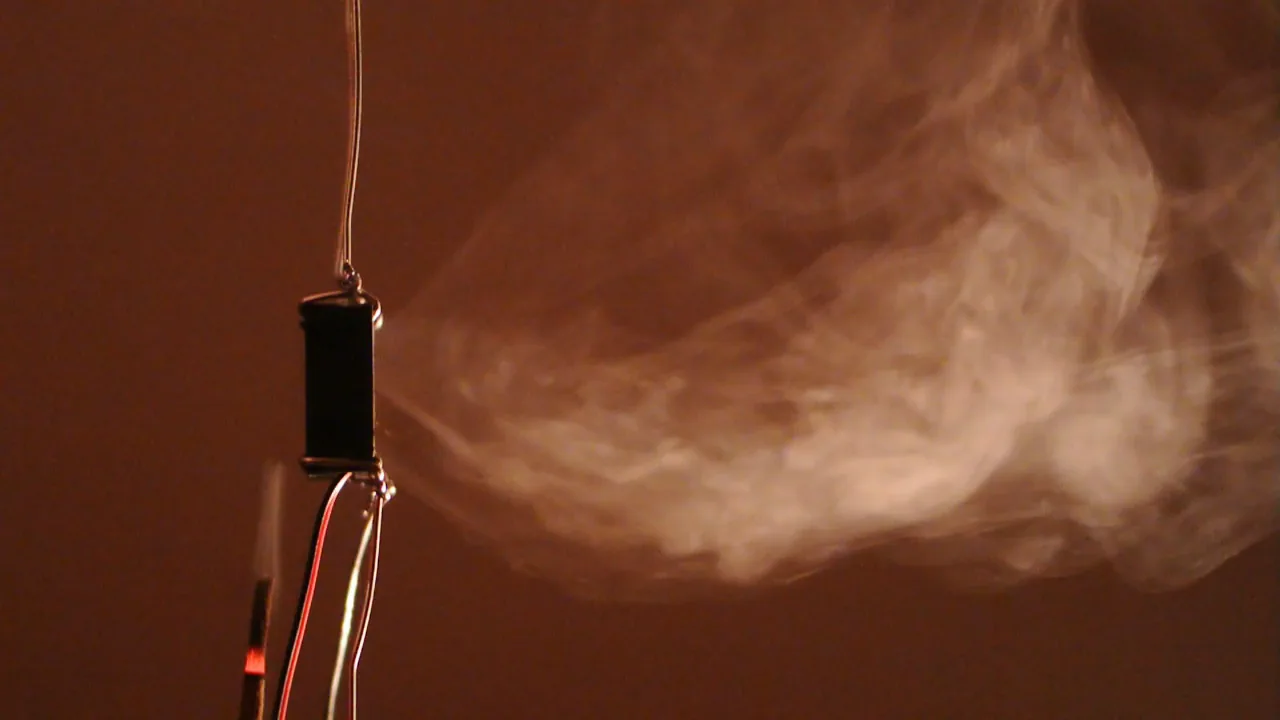
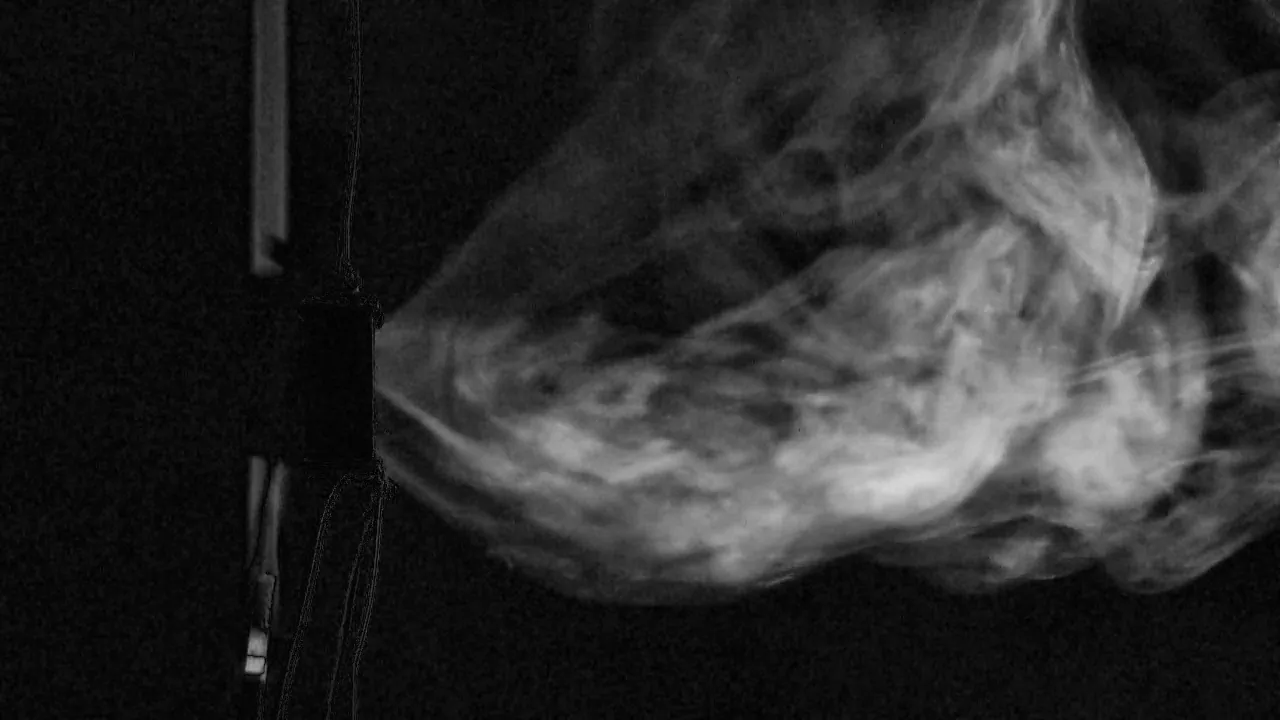
Time-averaged flow
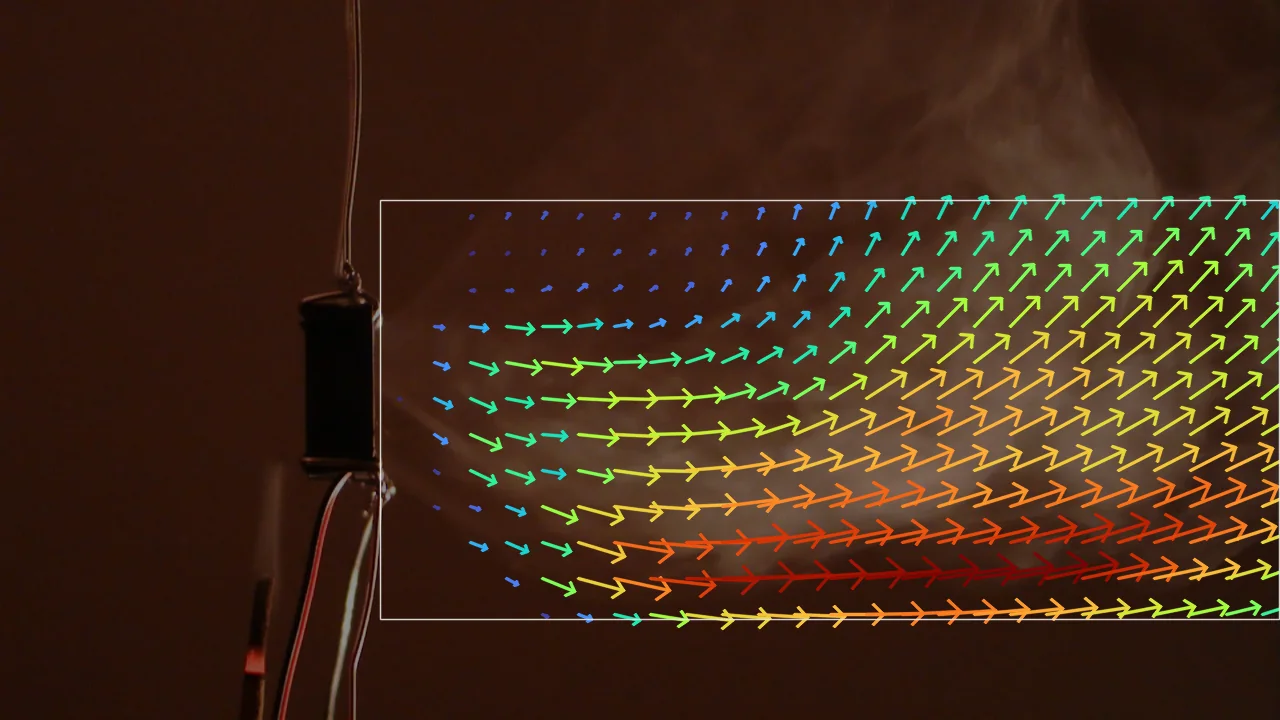
Averaging over 40 s of dense smoke, from 44 to 84 s (1,199 frame pairs, using every second frame), turns the flickering instantaneous fields into a steady picture. The smoke leaves the fan as a jet angled slightly downward and spreads as it travels, while the upper part of the cloud drifts upward (Fig. 3).
Along an axis from the fan outlet, the tool averages the streamwise velocity over the full height of the region at each distance. That average rises from about 0.3 cm/s just past the outlet to about 2.8 cm/s some 90 mm, or 3.6 fan heights, downstream. The rise says as much about the measurement as about the flow. Near the outlet the jet fills only part of the height, and the smoke there is dense and streaked, with little texture to follow; downstream the jet spreads and breaks into eddies that the flow can track.
The frame step matters. Comparing frame t with t + 3, the setting I had suggested for 60 fps video, gives velocities about a third lower than comparing consecutive frames (Fig. 4). Over three frames the fast smoke moves too far and changes shape too much for the flow to follow, so for a jet like this one consecutive frames are the right choice.
Preprocessing matters too. Without the background subtraction the averages come out about 17% lower, and nearly half as large within 15 mm of the fan, where the motionless fan and wires pull the flow estimate toward zero. The averages shown here use the same background subtraction as the live preview.
Limits
- Texture
Optical flow tracks brightness patterns, not air. Where smoke is dense and featureless, as right at the fan outlet, it sees little motion; where there is no smoke, it reports camera noise. Smoke only marks the air it has reached.
- Frame step
The displacement between the two frames has to stay within what the pyramid can follow, and the smoke has to keep its pattern. Fast flows need a small N or a faster camera (Fig. 4).
- Projection
The camera sees the smoke integrated through its depth, so velocities are the apparent in-plane motion of the whole cloud, not a measurement in a thin sheet as in PIV.
- Scale
The fan's 1 inch height, 174 px in the video, gives 0.146 mm per pixel, good to a few percent. That scale holds only for smoke in the same plane as the fan; smoke nearer to or farther from the camera is magnified differently.